Links to Booth.Events and TalleFlow in this post are my referral links, and the Amazon link is the exact sticker printer I use.
Booth.Events put up a Black Friday page this week (Discounts.Events takes you right to it) with holiday stickers scattered all over it. You can grab them and drag them anywhere, and every few seconds one of them does a little hop-and-wiggle. It made me smile, and I run a sticker station, so my first thought was: I want that on sticker.events.
I didn't open a code editor. I opened Claude, the AI assistant from Anthropic, which I already use with my browser and my hosting account, and typed one line: "This page lets people move the stickers around on the page, add this effect to my Sticker.events page." This post walks through what it did, what I asked for next, and the part I still think is funny: the post you're reading was written by Claude too, about itself.
Round 1: draggable stickers
Here's what Claude did after that one sentence, in order:
- Asked which Chrome to use, then studied the Booth.Events page. It worked out how the effect was built: stickers sitting in their own layer on top of the page, a little tilt when you hover, a lift and bigger shadow while you're holding one, and a limit so you can't fling them off the page.
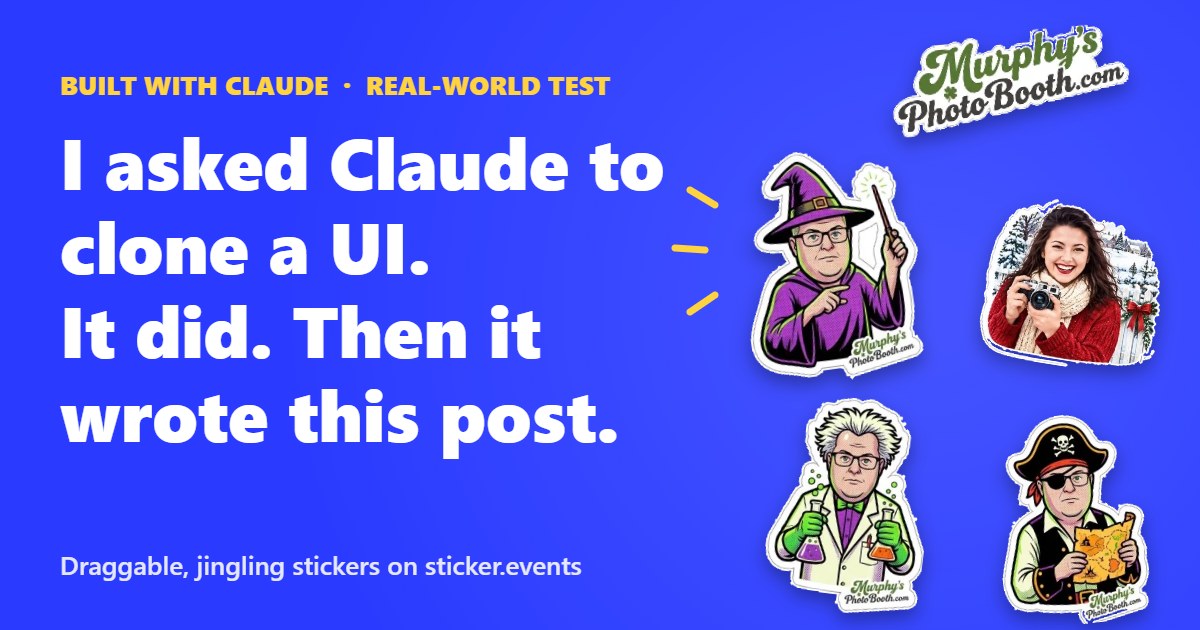
- Left their artwork alone. The Santa hats and gingerbread men belong to Booth.Events, so it didn't reuse them. Instead it cut individual stickers out of my own sample sheet images (the Murphy's PhotoBooth logo, my wizard, mad scientist and pirate caricatures, and a few from my Christmas sheet). It found each sticker's die-cut edge and saved each one as a transparent WebP of about 15 to 20 KB.
- Logged into my hosting the way I prefer (HostKoala client area, then cPanel), and made a backup of my homepage before it touched anything.
- Added the effect with a small block of CSS and plain JavaScript. There's no framework and no plugin, so the page stays fast.
- Tested it on the live site. It dragged stickers around, confirmed they stop at the edge of the section, and caught two stickers covering my nav links and my "Based in Ogden" line, then moved them. It also checked a phone-sized screen and moved the logo sticker off my sticker sheet photo.
Round 2: "make mine jingle like their site does"
Once the dragging worked, I noticed I was missing the best part, so my next message was: "make mine jingle like their site does, and across and down the whole page."
Claude went back to the Booth.Events page and measured how the jingle actually behaves, instead of guessing:
- Each wiggle is a quick 0.7-second motion: a small hop, a tilt one way, a tilt back, and a settle.
- Stickers that just scrolled into view take turns first, a little under a second apart. After that, one sticker on screen wiggles every couple of seconds, round-robin style.
- It pauses while you're dragging, when the tab is in the background, and for visitors who have "reduce motion" turned on in their device settings. That last one matters for accessibility, and I wouldn't have thought of it.
It rebuilt that behavior for my page, cut six more stickers from my sheets so there are 14 different designs, and placed 28 stickers in the empty spaces of every section, from the top of the page down through the booking form. The stickers lower on the page only load as you scroll to them, so the first load stays light. On phones it shows fewer, smaller stickers so they don't crowd the text. You can now drag a sticker from the top of the page all the way down to the FAQ.
Go play with it: sticker.events. Grab the wizard and drop him on the price cards.
Round 3: it promoted the work, then wrote this post
After that I had Claude post a thank-you to Discounts.Events in the general photo booth groups I'm in, then comment on each post with a link to my live photo sticker setup guide. It showed me the list of groups first so I could choose which ones, and afterward it told me which groups were holding the post for admin approval and which one declined it.
Then I asked for this post. Claude pulled the referral links I already use on the blog, built the header image at the top out of my own stickers, and wrote it up and published it here. If something in here sounds a little too pleased with itself, now you know who wrote it.
What I'd tell other booth operators
- Say what you want, not how to build it. I never said "pointer events" or "keyframes." I pointed at a page and said "this, on mine."
- Make it back things up and test on the real site. The best part wasn't the code. It was Claude dragging stickers around on my live page and fixing what it found.
- Don't lift someone else's artwork. Copying an interaction idea is fair game. Their graphics aren't. Your own sticker sheets make better decorations for your own site anyway.
- Hook it up to the tools you already use. Booth.Events can now connect to ChatGPT or Claude, so you can ask it to set up events or send a client their gallery. I've also connected Claude to TalleFlow, the CRM I use for quotes, contracts and invoices.
About that Black Friday deal
The page that started all this is the Booth.Events Black Friday offer, and it's worth a look if you're thinking about stickers for next season:
- Pro+ monthly: $79/month for your first 3 months (then $129/month), plus a Get Started session.
- Pro+ Annual: $1,099/year with 2,500 AI credits included.
- Every Black Friday order is entered to win a Liene PixCut S1 sticker printer, the same one I run at events. No purchase is needed to enter the giveaway.
- The offers and giveaway end November 30.
Check the offer page for the exact terms. If you're new to Booth.Events, here's my referral link. Once you're set up, my live photo sticker setup guide covers the hub, cables, printer routing and the AI prompts I use.
Want live photo stickers at your event in Central Iowa? That's what sticker.events is for, and yes, you can drag the stickers around while you decide.