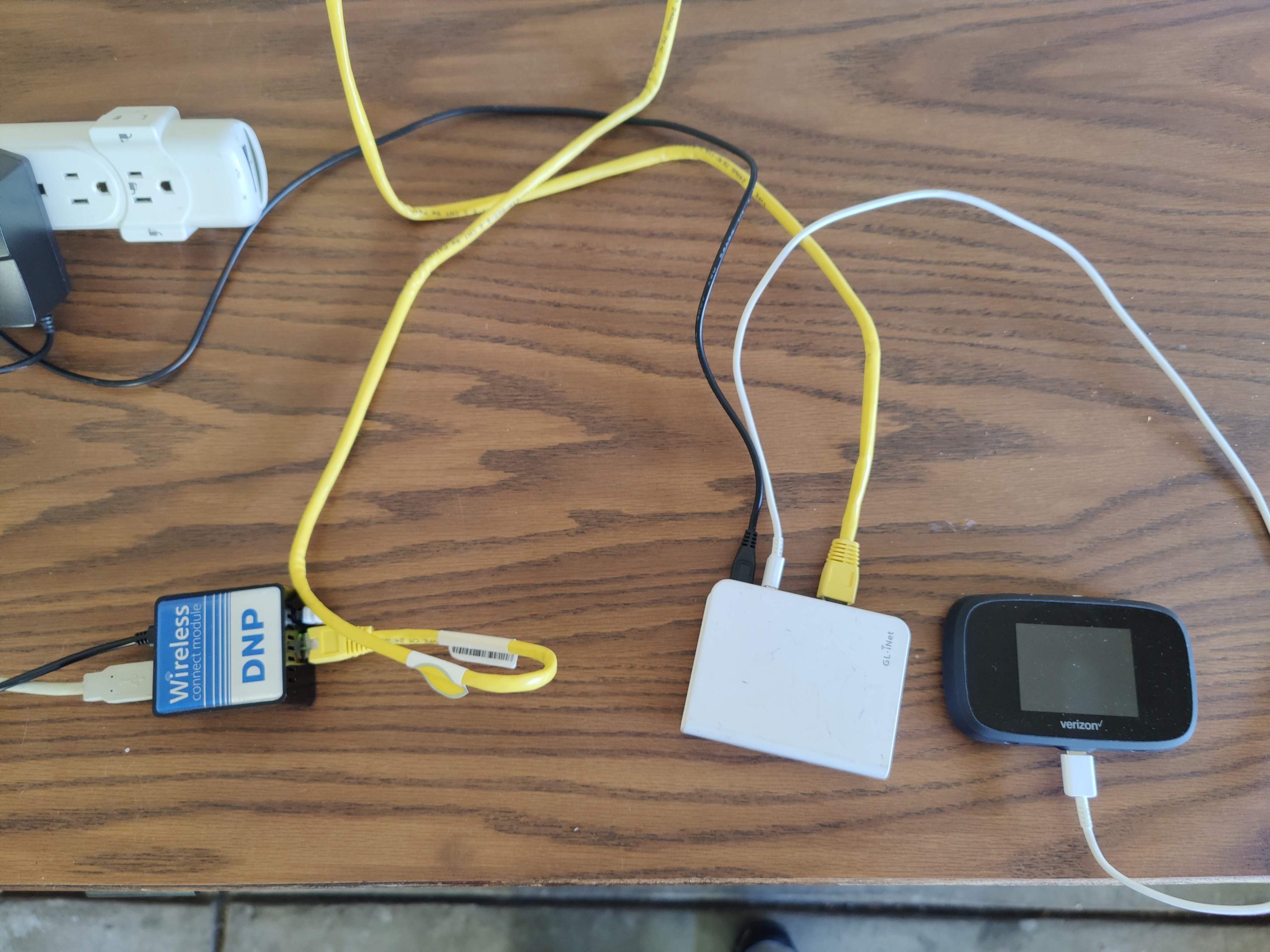
Originally published January 26, 2022 on my old blog, Murphy Things, and moved here in November 2026. Some product details and prices may have changed since it was written.
Travel router update (November 2026): the setup in this post works with any GL.iNet travel router, and these are the current models I recommend for photo booths:
- Beryl 7 (GL-MT3600BE): my go-to. Compact dual-band Wi-Fi 7, two 2.5G Ethernet ports and USB-C power, so it runs off the same power bank or charger as the rest of the booth.
- Slate 7 Pro (GL-BE10000): tri-band Wi-Fi 7 for big events with several booths, iPads and print servers on one network.
- Mudi 7 (GL-E5800): 5G cellular with a battery and touchscreen, for venues with no usable WiFi at all.
Shop the current lineup through my GL.iNet link (affiliate). The steps and settings in older posts still apply; menus on newer firmware may look slightly different.
So I am preparing an iPad based booth, and have done DSLR for a few years now. I’m a tech guy, and have a lot of options when it came to deciding what I want/need at my events:
- WIFI For booth and sharing stations to communicate (I prefer Photo Party Upload)
- When I have printing away from the booth, WIFI for that.
- Internet access for uploads
- Guest or Vendor access as an upsell.
What I use to accomplish this:
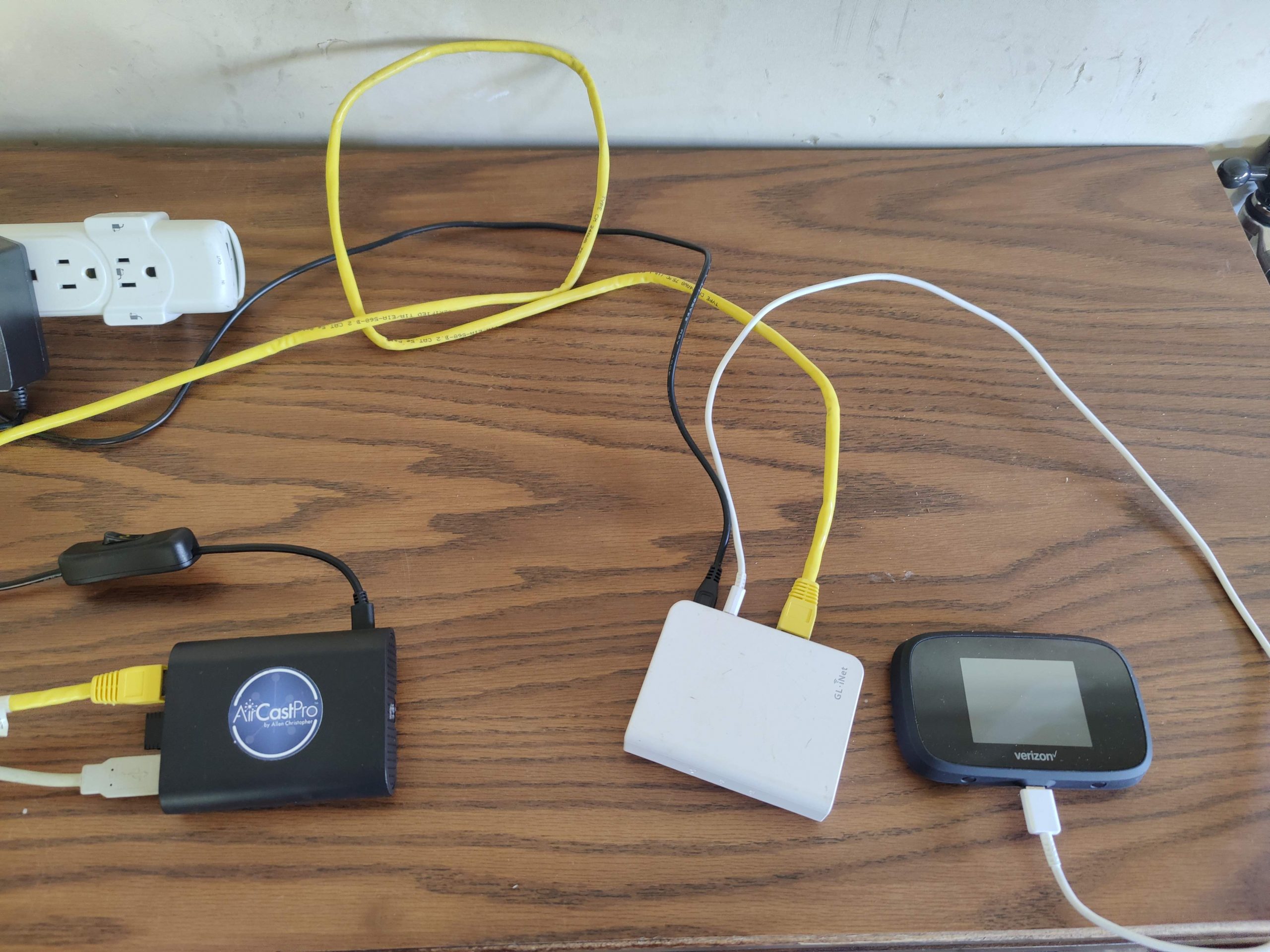
- Travel Router
- Hotspot
- WCM2 and/ or AirCastPro
- Cables, lots of cables.
- Pritners, I have 6. I have used 3 at once for events.
- Two printers printing guest copies
- One printer printing a single session image for the guest book.
How I accomplish this:
- Travel Router connects to Hotspot, venue wifi, phone hotspot, or venue ethernet.
- iPad or PC connects to Travel Routers wifi
Extra settings needed to make this work:
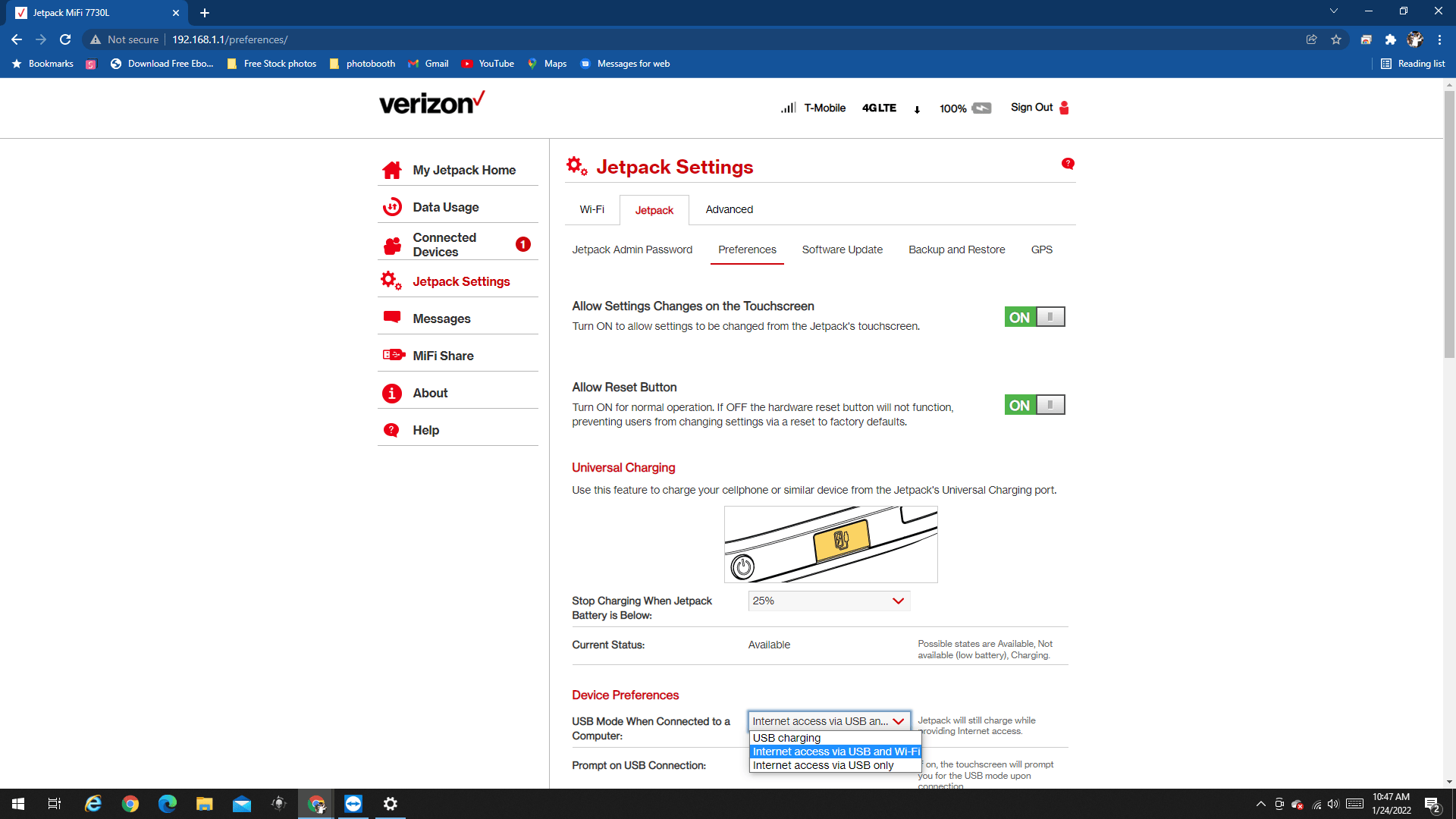
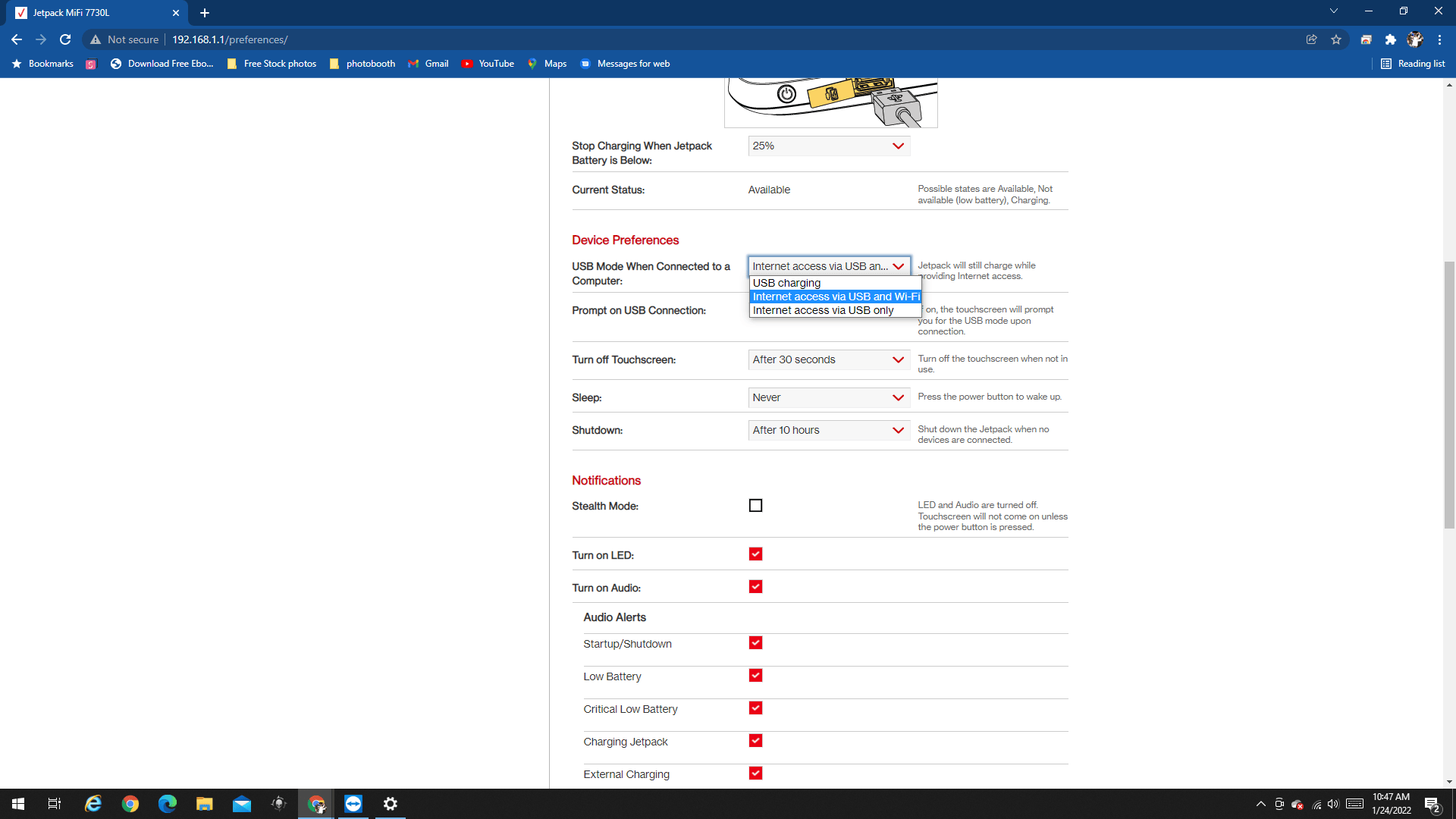
- On Hotspot I turn on Internet Access over USB and WIFI
- On Travel Router connect to my phones hotspot, venue WIFI, or plug it into their ethernet.
- Extra settings to make life easy
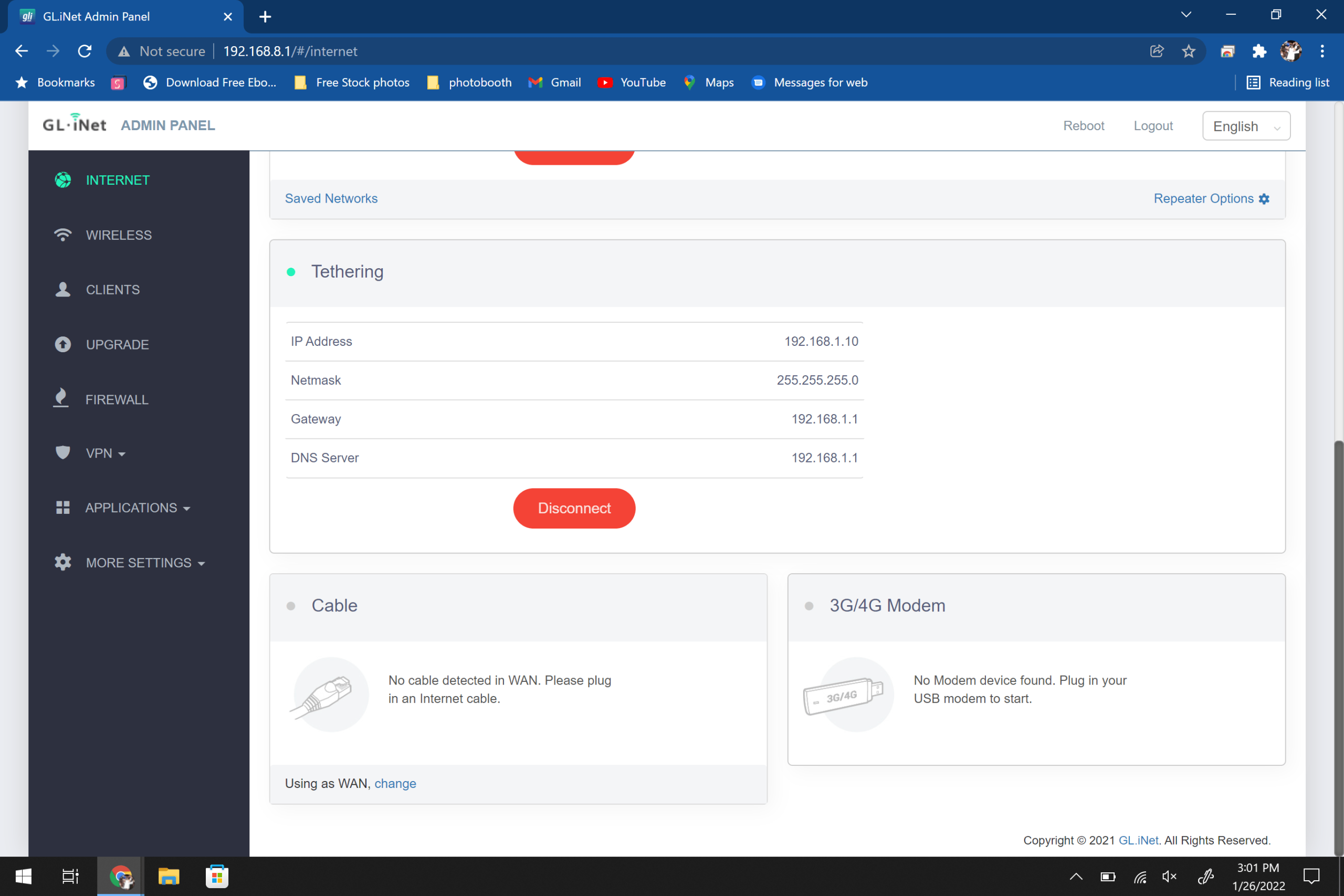
Here’s some screenshots to help:
Printer acting up the night before an event? Get a real technician in your corner. I work with Photo Booth Support, which offers 24/7 technical support for booth operators by phone, chat and remote access for software, printer and camera issues. Plans are per booth and month-to-month: Emergency covers live-event emergencies around the clock, and Premium adds scheduled non-emergency help and training on your software. There are also setup and training appointments.
Want one-on-one help with a custom setup? I also do custom consulting for photo booth operators.
Do your own homework: This post shares what has worked for me, but software, firmware and hardware change all the time. Before you change settings, install anything or buy gear, research it yourself and read the official manuals and support documents for your exact model and version. Test everything well before an event. This is the internet: I accept no liability for any mistakes, damage, data loss or missed shots that come from following this post. Use it at your own risk.