Originally published August 17, 2021 on my old blog, Murphy Things, and moved here in November 2026. Some product details and prices may have changed since it was written.
Travel router update (November 2026): the setup in this post works with any GL.iNet travel router, and these are the current models I recommend for photo booths:
- Beryl 7 (GL-MT3600BE): my go-to. Compact dual-band Wi-Fi 7, two 2.5G Ethernet ports and USB-C power, so it runs off the same power bank or charger as the rest of the booth.
- Slate 7 Pro (GL-BE10000): tri-band Wi-Fi 7 for big events with several booths, iPads and print servers on one network.
- Mudi 7 (GL-E5800): 5G cellular with a battery and touchscreen, for venues with no usable WiFi at all.
Shop the current lineup through my GL.iNet link (affiliate). The steps and settings in older posts still apply; menus on newer firmware may look slightly different.
New suggested travel router advice below still applies to setup/configuration. -5/6/2024
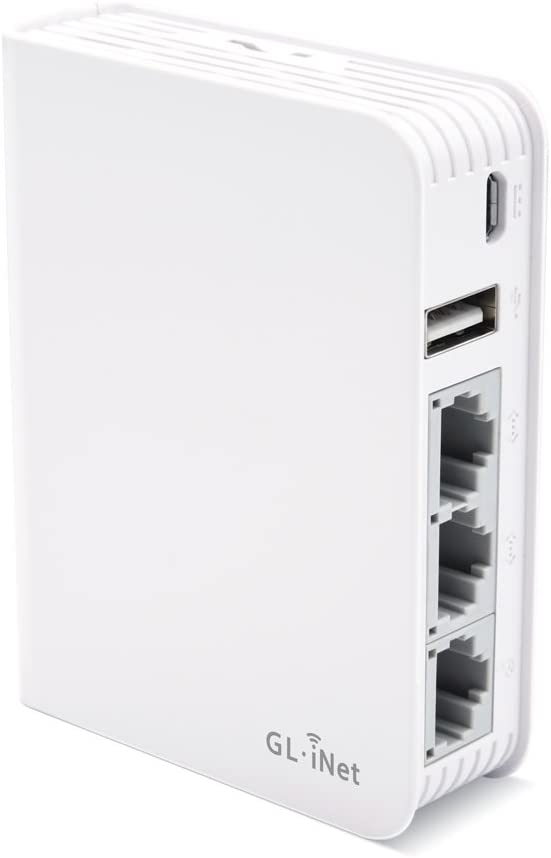
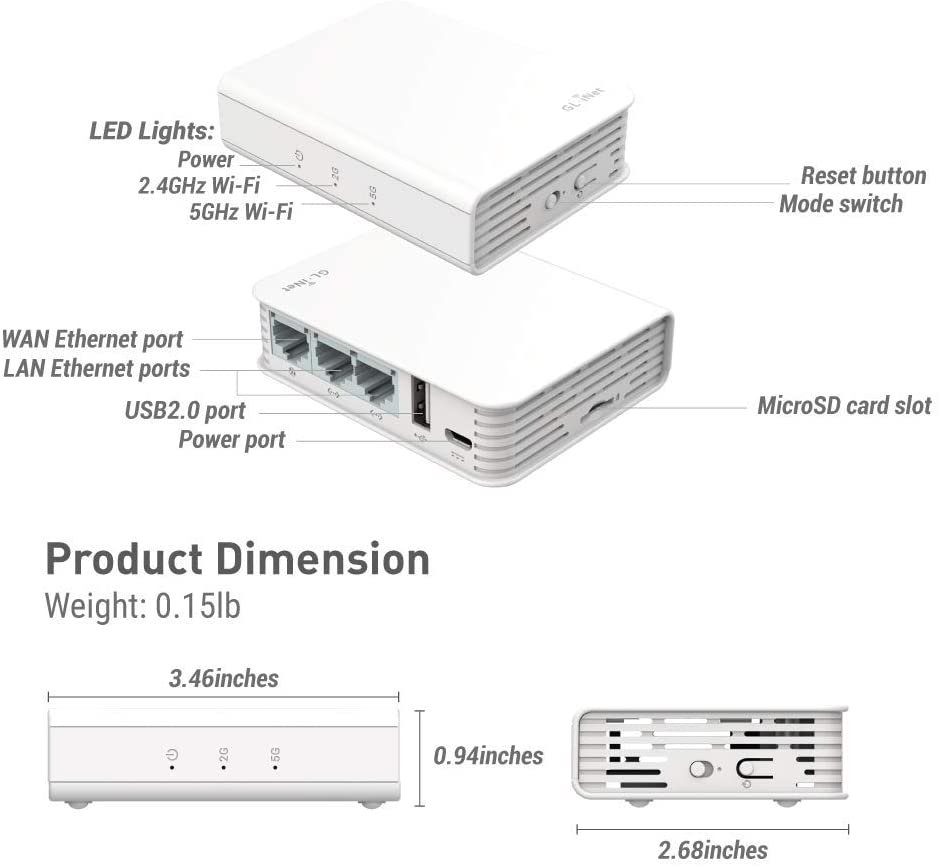
The GL-Inet AR750 Offers the most bang for the buck for a photo booth operator.
Or if you’re needing Gigabit ethernet and faster WiFi the GL-iNET GL-MT1300 offers a little more umph.
Some key features:
- Venue WiFi as internet source
- Hotspot as internet source
- USB Modem or smartphone as internet source
- ALWAYS have the same WiFI for your equipment
- Offers a Guest network (UPSELL)
- Can assign devices IP Addresses
- Better range than phone or cellular hotspot
- Actual networking features you can use
- All the magic of a home router/access point
Here are some assumptions, I, as a writer/photo booth operator/IT Person, am making about you, my fellow photo booth operator:
- You own 1+ booth(s), DSLR or iPad
- Composed of: PC or iPad, DNP or other dye sub printer (if your using inkjet or a Selphy, please consider upgrading ASAP, this makes us all look bad)
- You are looking to have internet and networking available to your gear.
Here is some common terminology I will be using, and that you should know. This is written with as little jargon as possible, and may be simplified vs. Wikipedia or the like. I’ll try to give examples that use mail delivery as an analogy
- Router: This is the device that does many things, it’s a network gatekeeper, a mail room, and apartment manager. The “brains” of a network.
- Access Point: This is what you usually connect to for WiFi, it is usually combined with your router in a home setup.
- Travel Router: a palm-sized combo device of both the Router and Access Point
- Hotspot/Cellular Hotspot/Mobile Hotspot: Usually a device you would get from a cellular phone service company. These connect to the cellular network and provide WiFi connectivity to your devices to have internet access. MANY are only concerned about internet access, and may block your devices from communicating directly with one another. MANY of these also only allow up to 10 devices to connect at a time.
- Phone as Hotspot: Same as above, but an Android or iPhone acting as your connection.
- WAN: Wide Area Network – AKA “The Internet” 99% of the time. WWAN: Wireless WAN.
- LAN: Local Area Network – WiFi and LAN Ports are all considered a LAN connection. A local area network is a group of devices that can all talk with each other, but don’t necessarily need or have internet access. A LAN is like an apartment mail system only for the residents to send each other mail, where mail from the outside world can be delivered, but internal mail can only go out if it has a special envelope.
- IP Address: This is the address each device would have on the network. A PRIVATE IP address is one only addressable on the LAN. A PUBPLIC IP address is one that is reachable over the internet. Public IP address would be the apartment building, Private IP address would be the individual apartments.
- Network: A group of devices all connected to the same LAN.
Phwew, now that’s out of the way here are some use case scenarios:
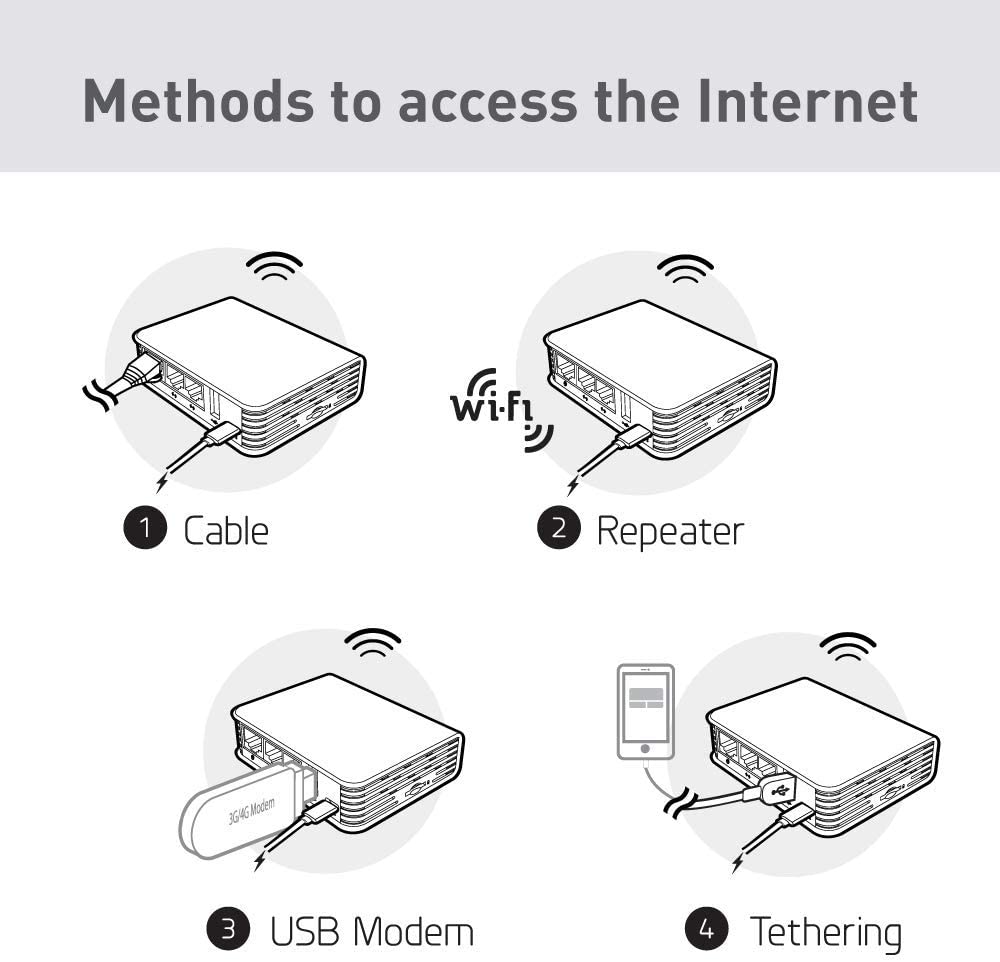
- Venue WiFi as WAN: Hey, you’re not ready to invest in a mobile hotspot or upgrade your phone plan yet, I get it. The AR50 can connect to the venue WiFi and create your own WiFi network. As I write this post I am using Starbucks WiFi as my WAN Connection. On the AR750 this is known as “Repeater” function. Here’s their guide on this.
- Hotspot as WAN: Phones and mobile hotspots also offer a tethering option, this uses the devices and the AR750 USB ports connected to provide internet access to your WiFi. Read about it in their guide here. I use a MiFi device where I have logged into its admin interface and set the USB port to act as a Ethernet connection. When connected to the AR750 it uses the MiFI as a WAN connection. Why not use the MiFI only? It only supports a max of 10 devices, and is only providing networking services for internet access, not device-to device communications.
- No Internet: This is what’s needed if you are only looking to network devices to print, share photos for slideshow/printing stations, or using MediaShare , I know a boother who has his travel router right inside his ring roamer shells, and the laptop print server connects to the Travel Router that’s inside the shell.
- Hardwired ehternet: This is where a venue can provide an ethernet cable that attaches your device t their router. the AR750 can connect this way as well. Also is the best way t connect back at home for testing/configuration.
If you buy the AR750 Please take some time to RTFM
Disclosure: I may earn a small commission for my endorsement, recommendation, testimonial, and/or link to any products or services from this website. Your purchase helps support my work in bringing you information about whatever it was you just read about.
Network or connectivity problems at a venue? Get a real technician in your corner. I work with Photo Booth Support, which offers 24/7 technical support for booth operators by phone, chat and remote access for software, printer and camera issues. Plans are per booth and month-to-month: Emergency covers live-event emergencies around the clock, and Premium adds scheduled non-emergency help and training on your software. There are also setup and training appointments.
Want one-on-one help with a custom setup? I also do custom consulting for photo booth operators.
Do your own homework: This post shares what has worked for me, but software, firmware and hardware change all the time. Before you change settings, install anything or buy gear, research it yourself and read the official manuals and support documents for your exact model and version. Test everything well before an event. This is the internet: I accept no liability for any mistakes, damage, data loss or missed shots that come from following this post. Use it at your own risk.