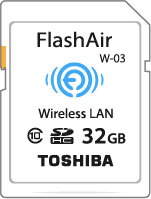
Found that you formatted your FlashAir or SpotMyPhotos card and need to resurrect it?
You will need a few things downloaded/installed, this is all for Windows, if you're on a Mac, it may guide you in the right direction.
Here is the latest files I could locate, hosted here as they have been discontinued on official channels:
FlashAirTool configuration utility
W-02 Firmware
W-03 Firmware
W-04 Firmware
W-01 I have no interest in due to it being older/slower compared to above.
I own at least one of each W-02+
If any of this is too confusing, maybe you shouldn't be doing it.
Steps:
- Download Rufus or whatever you want, format the card in FAT32 format
- Unplug and plug back in the card
- If you have show hidden files enabled you will see a hidden folder "SD_WLAN" and a config file within, on the power cycle of the card it loads the current FW version info into the config file.
- Run the FlashAirTool configuration utility and do the initialize card/settings
- follow the prompts until complete
- Run the correct firmware update to your card model, no you can't magically make one card into another by forcing the wrong firmware
- follow the prompts
- If all goes well you can run the config utility, iPhone/Android app, or access the FlashAir web app.
- Configure the card however you were going to use it.
The SpotMyPhotos spotter card is running FW F15DBW3BW4.00.03 , 4.00.04 above is the latest.
Once the card is reset open the config file within the hidden SD_WLAN folder, it'll look like this:
[Vendor]

CIPATH=/DCIM/100__TSB/FA000001.JPG
APPMODE=4
APPNETWORKKEY=********
VERSION=FA9CAW3AW3.00.02
CID=THISisMINEyoullHAVEyours
PRODUCT=FlashAir
Here is the SpotMyPhotos config from a W-04 card that they re-badge.
If your formatted your card you can copy/paste the details below and add in the reset/default info from above steps to get it working, also the SSID (WiFi network name) can be customized.
the ****** for APPNETWORKKEY= is normally spotter12, this is hidden by the firmware for security.
I commented in BOLD things to change
[WLANSD]
ID=SMP_SD_1_2101
DHCP_Enabled=YES
IP_Address=192.168.1.10
Subnet_Mask=255.255.255.0
[Vendor]
APPAUTOTIME=0
APPMODE=4
APPCH=5
APPNAME=spotmyphotos
APPNETWORKKEY=*********(replace this with spotter12, or anything 8 char min)
APPSSID=SpotMyPhotos_WHATEVERyouWANT13charactersMAX
CID=COPY THE CID FROM the CONFIG file after the reset
DNSMODE=0
NOGATEWAYMODE=1
HTTPDBUFF=23360
HTTPDMODE=0
IFMODE=Other
LOCK=1
MASTERCODE=0123456789AB
NOISE_CANCEL=2
PRODUCT=SpotMyPhotos
REDIRECT=1
TIMEZONE=0
UPLOAD=Other
VENDOR=CloudSpotter
VERSION=COPY From the CONFIG file after the reset
WEBDAV=0
WLANAPMODE=0x82
Get rid of anything from the default config, I did this by copying and pasting in the SMP stuff, cut/paste the CID/FW VERSION then erasing the rest so there are no duplicate/conflicting entries.
Only the hidden SD_WLAN folder and it's config file need to be kept, other files/folders can be deleted.
Save config, unplug/plug back in the card for changes to take effect.
DON'T FORMAT the card if you don't want to go through all this again!
Here is a starting point to what all the parameters above are
You can also search FlashAir and CPAP or 3D printing for more insight
Rather have someone walk you through a build like this? Get a real technician in your corner. I work with Photo Booth Support, which offers 24/7 technical support for booth operators by phone, chat and remote access for software, printer and camera issues. Plans are per booth and month-to-month: Emergency covers live-event emergencies around the clock, and Premium adds scheduled non-emergency help and training on your software. There are also setup and training appointments.
Want one-on-one help with a custom setup? I also do custom consulting for photo booth operators.
Do your own homework: This post shares what has worked for me, but software, firmware and hardware change all the time. Before you change settings, install anything or buy gear, research it yourself and read the official manuals and support documents for your exact model and version. Test everything well before an event. This is the internet: I accept no liability for any mistakes, damage, data loss or missed shots that come from following this post. Use it at your own risk.