Should be your last option, or your first.
So your looking to save a buck, don't know better, or there is no other option than to use the wifi at a venue. There are some pros and cons to this, as well as a few things you should know.
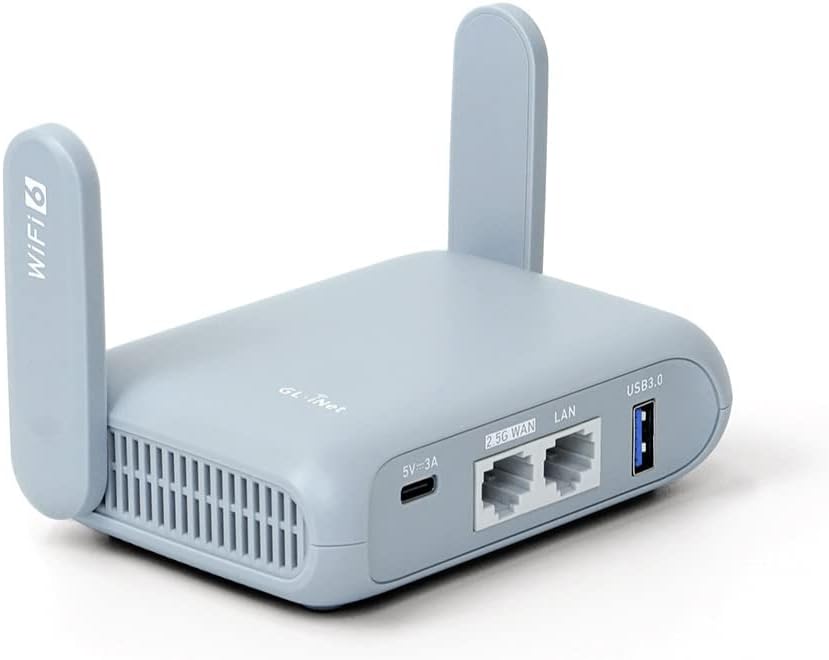
Travel router update (November 2026): the setup in this post works with any GL.iNet travel router, and these are the current models I recommend for photo booths:
- Beryl 7 (GL-MT3600BE): my go-to. Compact dual-band Wi-Fi 7, two 2.5G Ethernet ports and USB-C power, so it runs off the same power bank or charger as the rest of the booth.
- Slate 7 Pro (GL-BE10000): tri-band Wi-Fi 7 for big events with several booths, iPads and print servers on one network.
- Mudi 7 (GL-E5800): 5G cellular with a battery and touchscreen, for venues with no usable WiFi at all.
Shop the current lineup through my GL.iNet link (affiliate). The steps and settings in older posts still apply; menus on newer firmware may look slightly different.
Pros
Cons
Steven has been in computer networking, event networking, repair and support professionally since 2001, grew up working on electronics, computers, and more with his father, Mike, owner of Murphy's Surplus Warehouse. Events Steven has done were LAN parties for 400 gamers, event conferences in the thousands, and fire evacuation site internet access during California wildfires. He has worked with various vendors and custom solutions using both closed and open source solutions.
Terminology and baseline understanding required to proceed
Do I have your attention now? Yes, Great! There are a few things you need to know and understand to proceed, this will reflect the pros and cons.
Venue wifi is not standardized, can vary wildly in performance and how it works. There are many variables, in my post I will overcome many of those variables with a solution, and talk about quite a few other items.
When what option now?
Venue wifi should be the first option if you can connect, it tests well, and it meets your needs.
It should be your last option if other options are not working.
Options for internet access
There are quite a few ways to obtain internet access, below is a list of the to options that I suggest, in the order I would suggest. There are more, and there are also regional based solutions as well. Again, do your research.
That's great, make it make sense
Ok, so boots on the ground, what does Steven do?
1. Reach out to venue about what, if any, internet access is provided.
2. Prep gear. I have a cellular hotspot, secondary cell phone as hotspot, 5G gateway, and the ability to rent Starlink. Each is configured with a SSID (Wireless network name) that is "MurphysPhotoBooth.com-NAMEofDEVICE"
3. I have a travel router (more in a folowoing section) and a spare that are setup to connect to/failover between each of my internet options.
Bringing it all together
Network or connectivity problems at a venue? Get a real technician in your corner. I work with Photo Booth Support, which offers 24/7 technical support for booth operators by phone, chat and remote access for software, printer and camera issues. Plans are per booth and month-to-month: Emergency covers live-event emergencies around the clock, and Premium adds scheduled non-emergency help and training on your software. There are also setup and training appointments.
Want one-on-one help with a custom setup? I also do custom consulting for photo booth operators.
Do your own homework: This post shares what has worked for me, but software, firmware and hardware change all the time. Before you change settings, install anything or buy gear, research it yourself and read the official manuals and support documents for your exact model and version. Test everything well before an event. This is the internet: I accept no liability for any mistakes, damage, data loss or missed shots that come from following this post. Use it at your own risk.